03 · Rappi & CVC · Design Systems
Design systems,from zero to scale.
Two companies, two starting points. At Rappi I helped a team bootstrap a system from nothing — no budget, no dedicated DS team. At CVC I built the mobile layer of a system that had none, shipping only the components that genuinely make an app feel native.
0 → 1
Systems bootstrapped
2
Companies · 2 contexts
Web + App
Best practices shared
Scroll
How I approach design systems
A system is only worth itif it earns its keep.
I've worked on design systems from both directions — contributing to a maturing one and starting one from zerowith no investment behind it. In both, my rule was the same: don't build a component library for its own sake. Build only what removes real friction, ships faster, and stays consistent at scale.
That discipline is what let a single, well-made text field seed an entire system at Rappi — and what kept the CVC mobile system lean enough that the team actually adopted it.
Rappi · B2B · 9 countries
Nine countries, one brand —
nine different text fields.
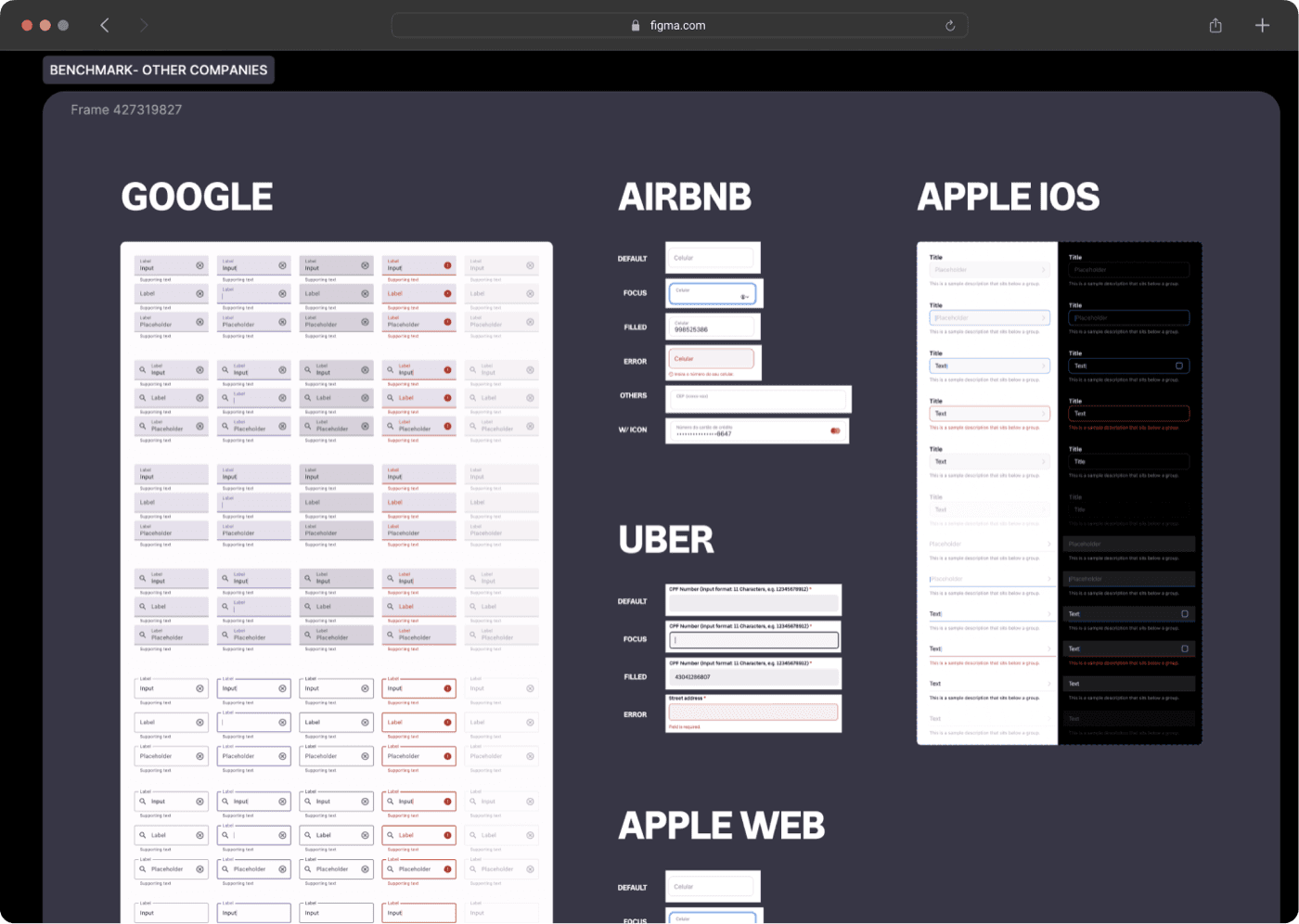
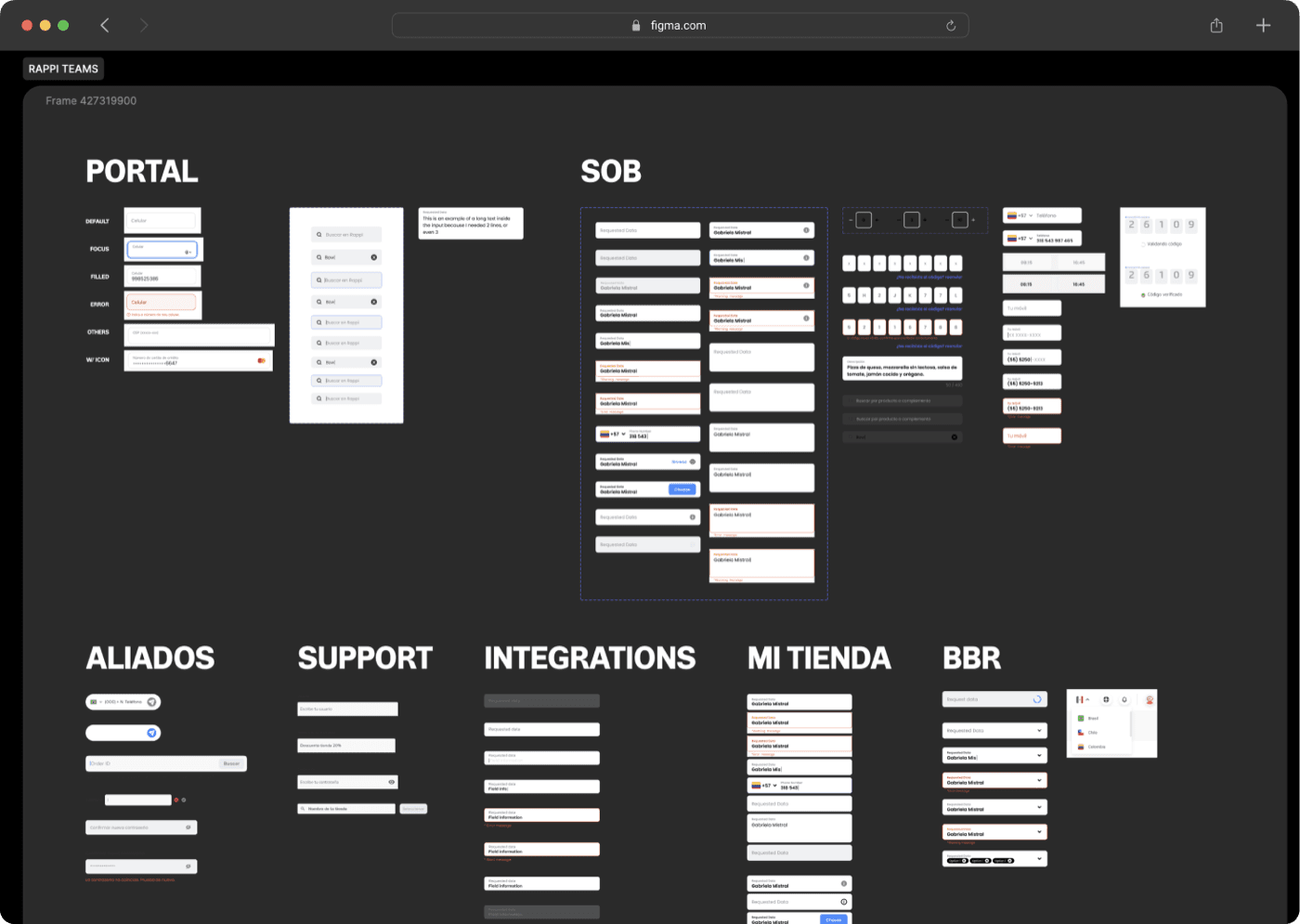
When I joined Rappi's B2B Design team, the design system was already fragmenting. The team spanned 9 countries, but there was no dedicated DS squad and no budget to create one. Each country's designers built their own components. The same text field looked different in Colombia, Mexico and Brazil — and nobody was wrong, because there was no standard to be right against.
The consequence wasn't just visual. Every time a team needed a component that didn't exist, they built it from scratch — their own states, their own anatomy, their own documentation (or none). Shipping slowed down, reviews got longer, and the brand was quietly dissolving.
We didn't need a design system team. We needed one component done so well that it became the template for everything after it.
We adopted a collaborative model — one designer led the system, and individual designers each owned a component. I chose the text field: the most-used, most-inconsistent atom in the entire product. If I could get this one right — benchmarked, documented, governed — it would set the pattern for every component that followed.
01 · Discovery
Benchmarked the best, audited our own.
I studied Google Material, Airbnb, Uber Eats and Apple — then asked every Rappi team to hand over their own text fields. Mapping each team's identity and needs before drawing a single line.
02 · Definition
One anatomy, many variations.
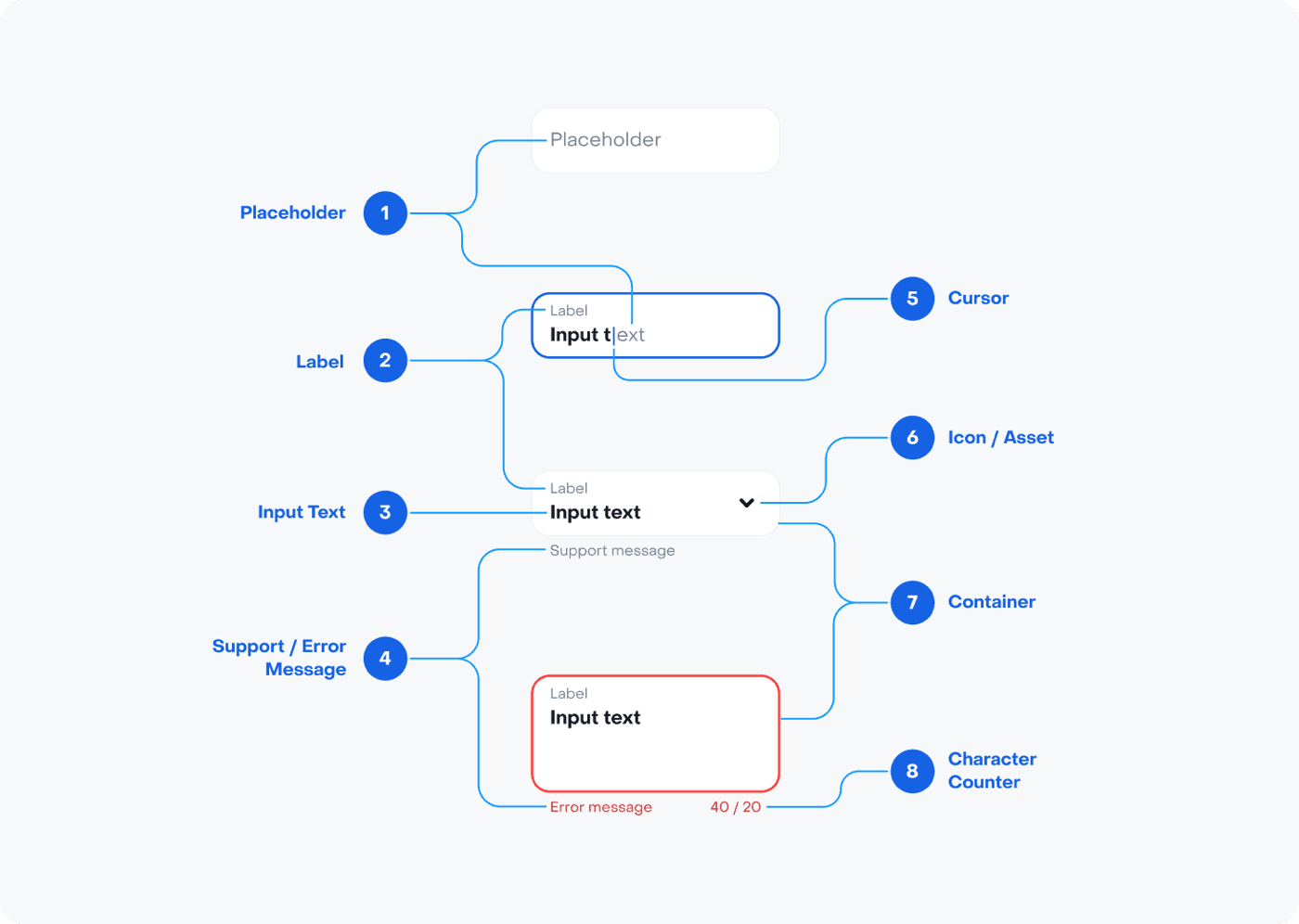
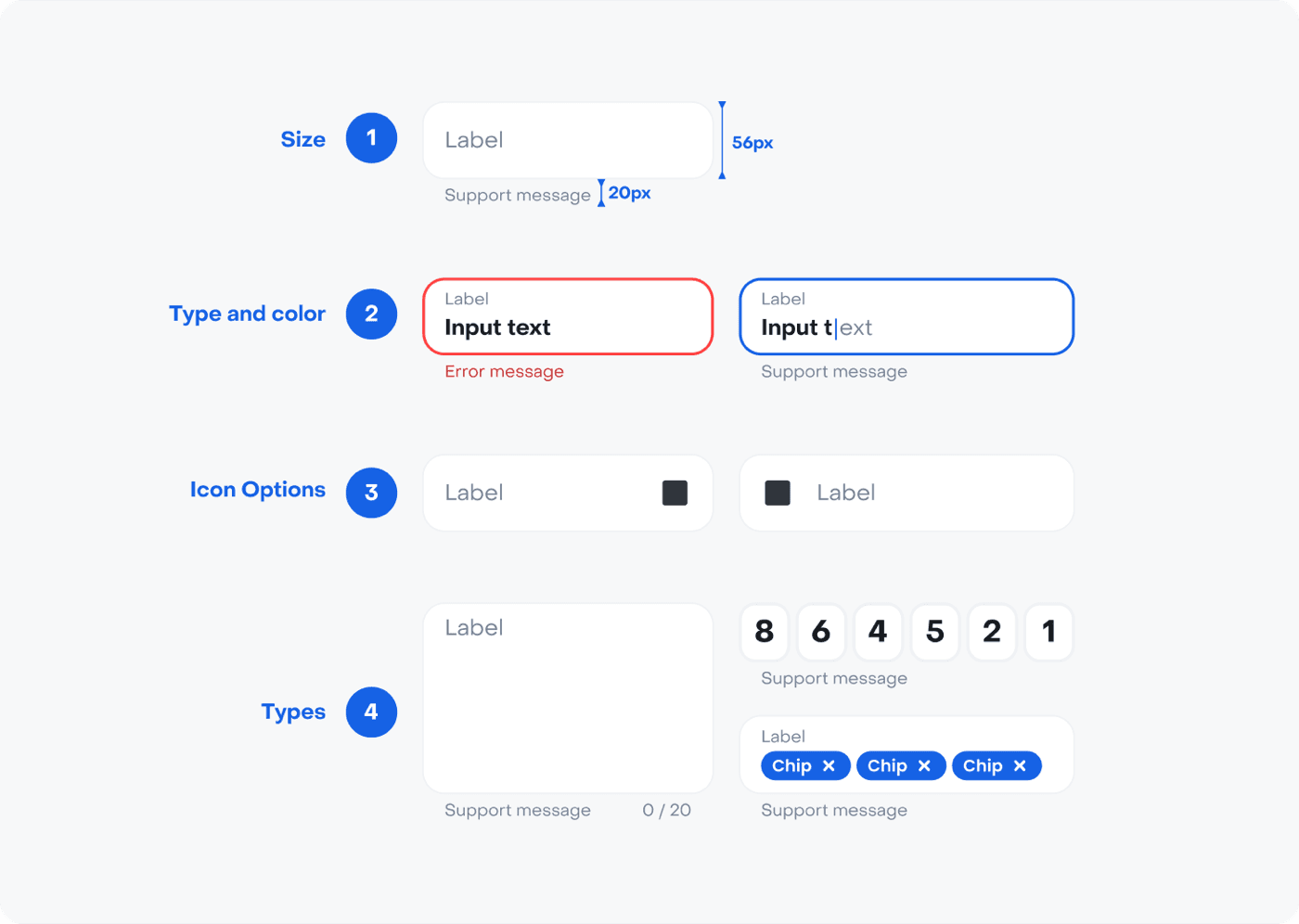
A Material-based anatomy with an outline that makes every state legible — extended with support messages, states, icons, large text, code validation and chips, tuned for desktop and responsive web.
03 · Solution
One component + full documentation.
All states and types consolidated into a single main component. Then full documentation — intro, anatomy, specs, usage rules and max-width guidance — so any designer in any country could apply it without asking.
The result was a single main component containing every variation — default, hover, focus, filling, filled, disabled, error — across every type: icons on either side, text areas, code validation fields and chips. One component, one source of truth, with documentation thorough enough that any designer could use it day one.
The text field shipped — and something unexpected happened. The process mattered as much as the component. Discovery → definition → solution became the workflow every designer followed when contributing their own component. The system wasn't growing because of a DS team; it was growing because the process was now embedded in how the team worked.
Unified
Brand consistency
One component standard adopted across all B2B teams in 9 countries
Faster
Component creation
Reusable foundations cut the time to ship every new component
Process
Alignment before building
Discovery → definition → solution became the workflow for every new component
Built for desktop and responsive web — deliberately excluding mobile apps. That boundary is exactly where the next chapter begins.
CVC · Mobile App
CVC had a design system.
It just wasn't built for the app.
CVC had just launched a fresh design system — but it was built for the website. The mobile app inherited web-ported components that never felt native: buttons that didn't respond to gestures, navigation that ignored platform conventions, loading states that felt like an afterthought. The app had a 2.0-star rating, and fixing individual screens wasn't going to solve it. The problem was foundational.
I was already redesigning the CVC flight booking flow (the project that would eventually drive a +212% conversion lift), and I realized that building great screens on top of web-ported components was like painting on wet sand. The experience would never feel right unless the foundation was right.
Don't rebuild the whole DS. Build only the components where web falls short on mobile — and make the set small enough that the team actually adopts it.
I scoped the mobile design system to the components that genuinely can't be ported from web: native inputs with platform-specific keyboards, gesture-driven bottom sheets, mobile navigation bars, progress steppers, loading and feedback states, and dialog patterns that respect iOS and Android conventions. Everything else stayed shared with the web system — so the app felt native without fragmenting the brand.
Native-only by design
Mobile-specific components only where a web-ported one fell short — native inputs, gestures, mobile nav, loading & feedback states.
Lean, so it got adopted
No bloat. A small, opinionated set the app team could actually pick up and ship with — which is why adoption stuck.
A legacy for the app team
The system outlived the project — it became the foundation the mobile team kept building on after I rolled off.
Best practices for web too
The mobile patterns fed back upstream — guidance the web teams adopted for their responsive versions.
Every component followed the same rigor I'd established at Rappi: master component with all variants inside, full documentation (anatomy, specs, when to use, do/don't rules), and a clear owner. Over 20 components shipped — each one documented and governed from day one.
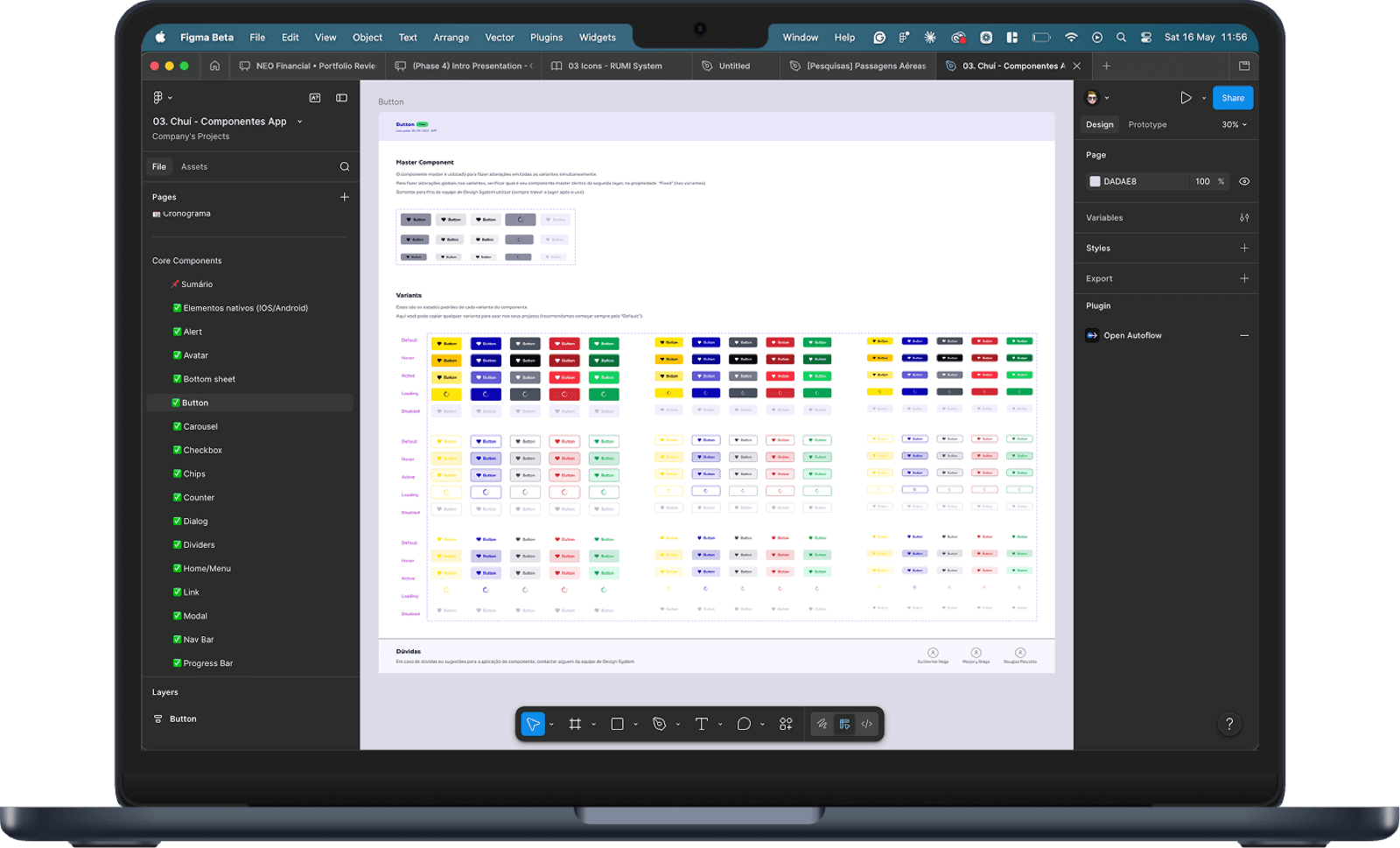
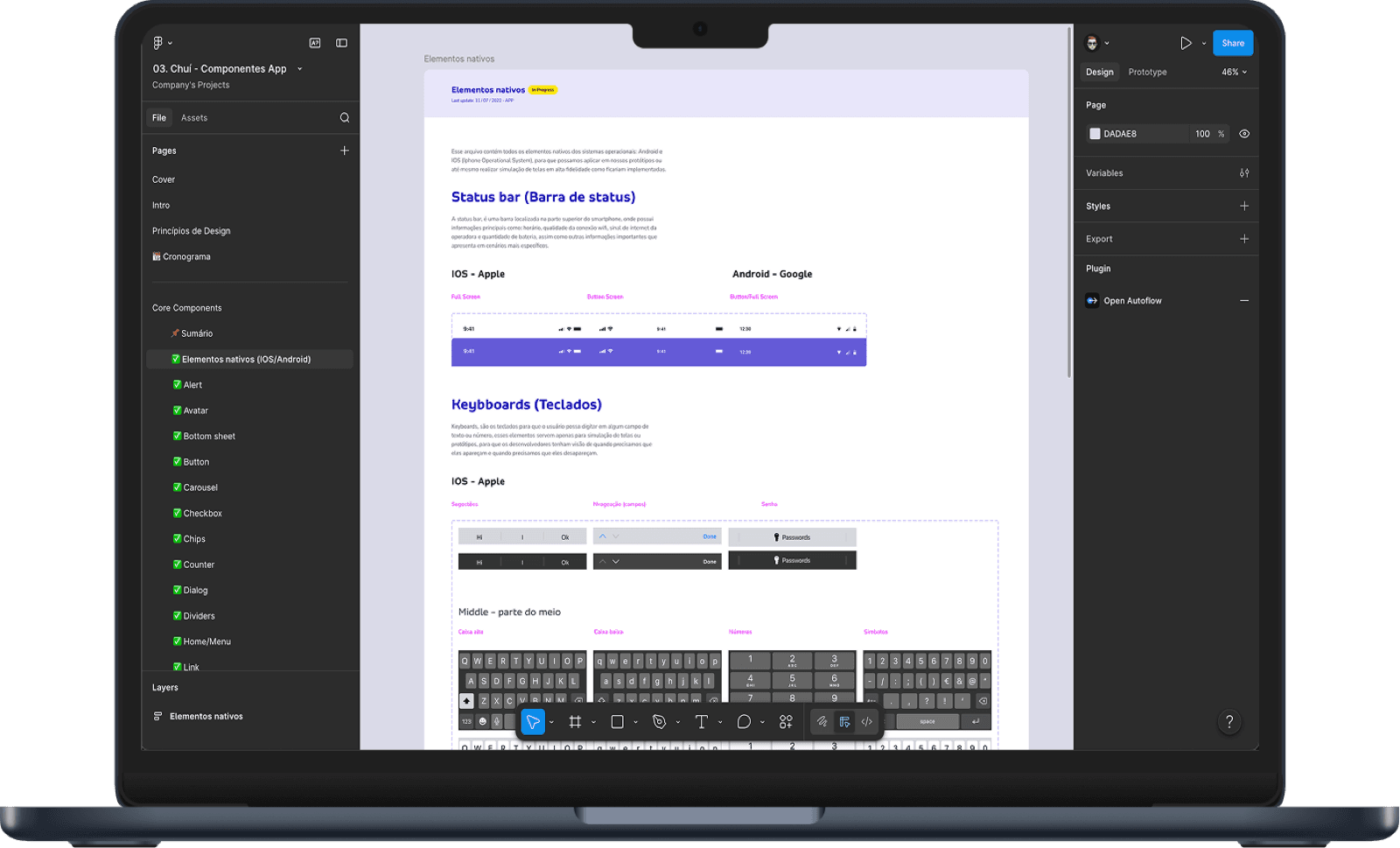
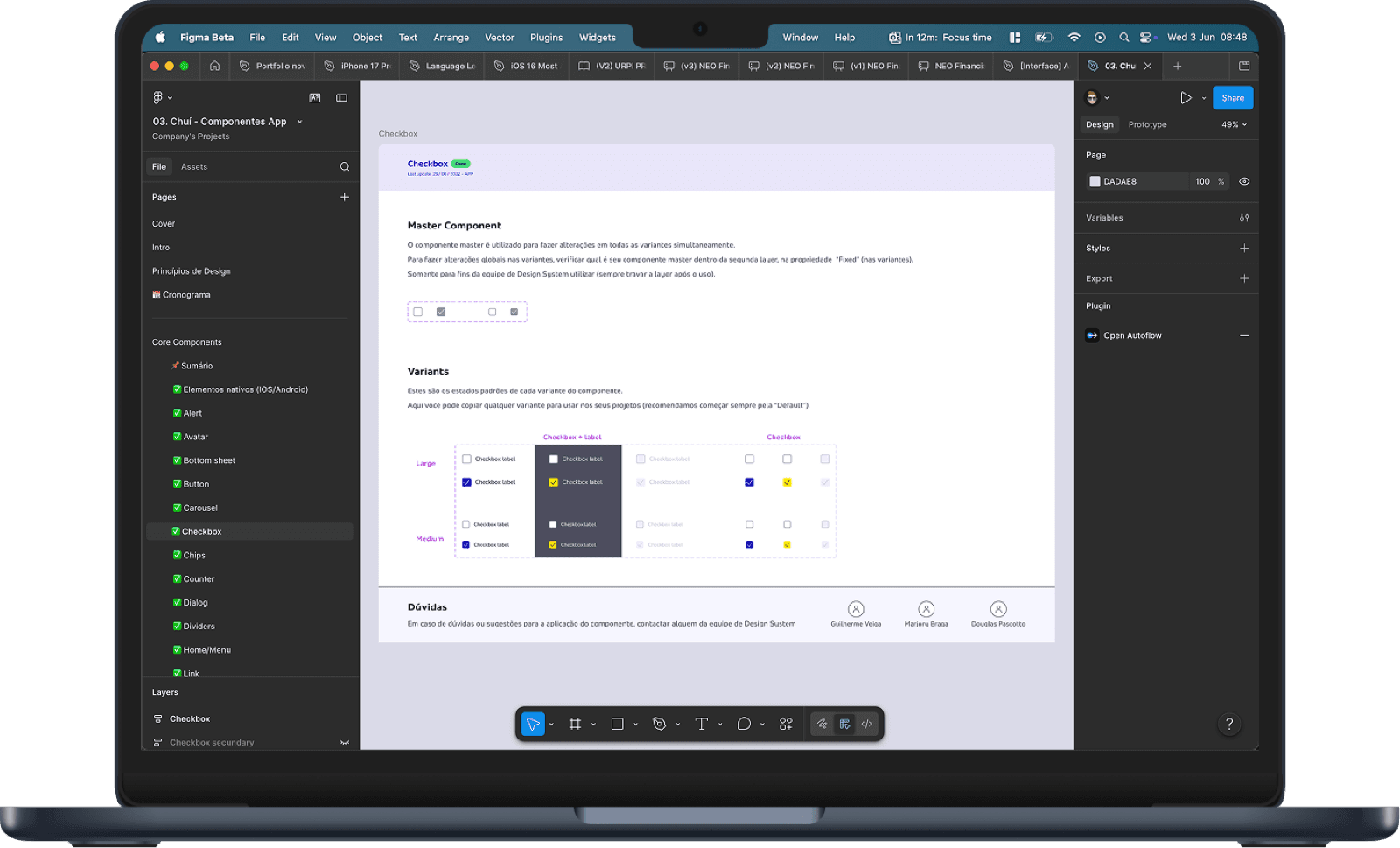
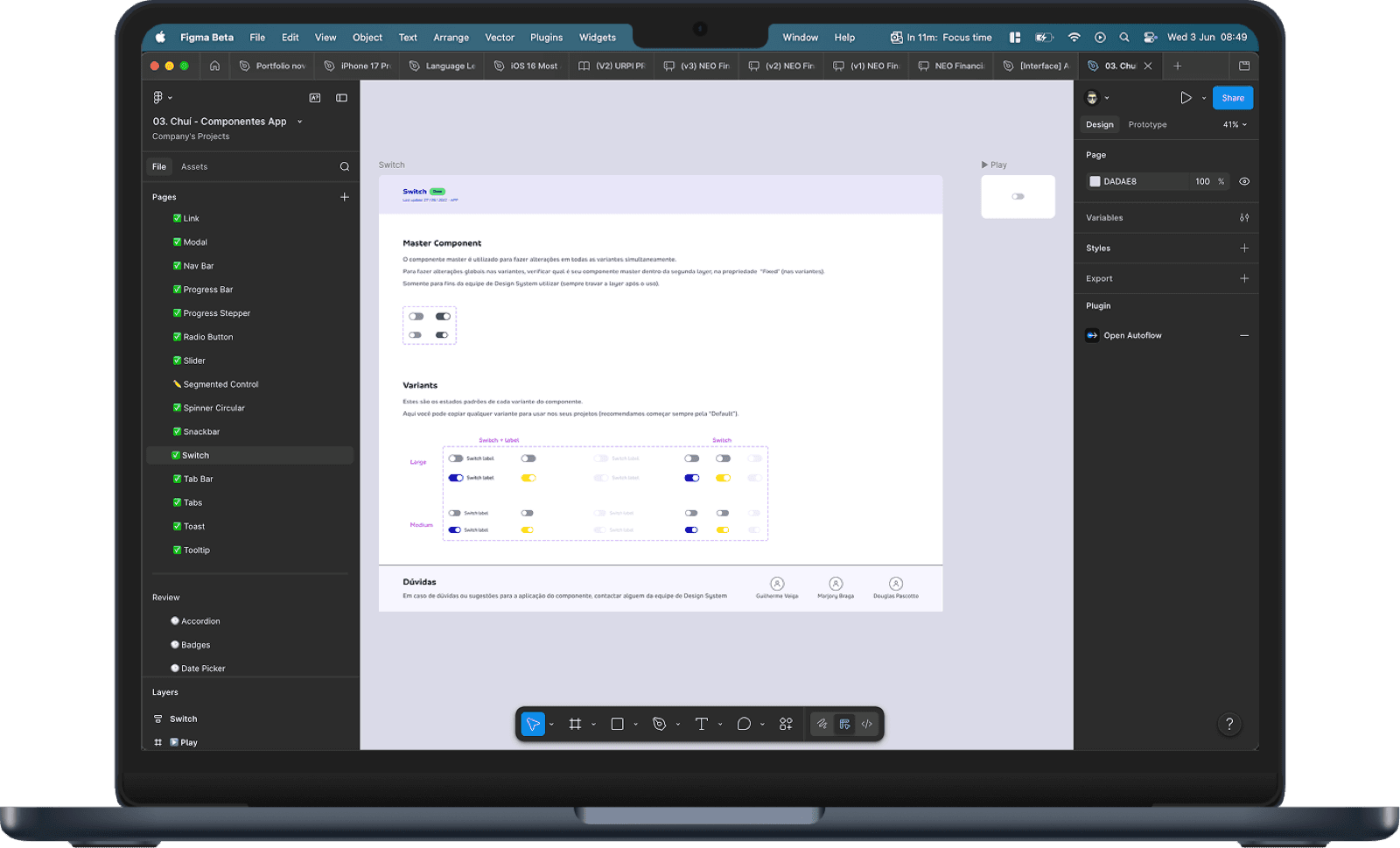
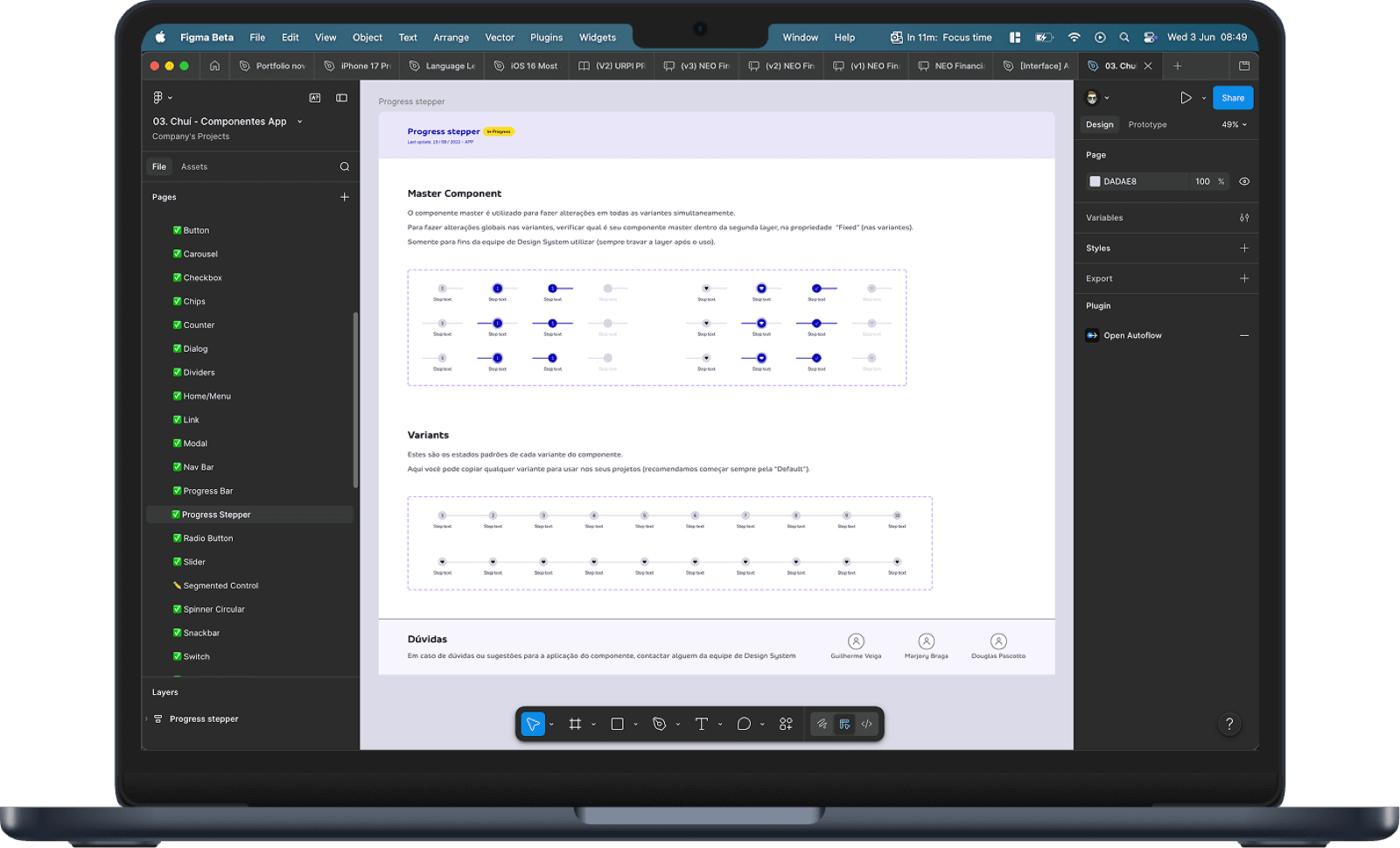
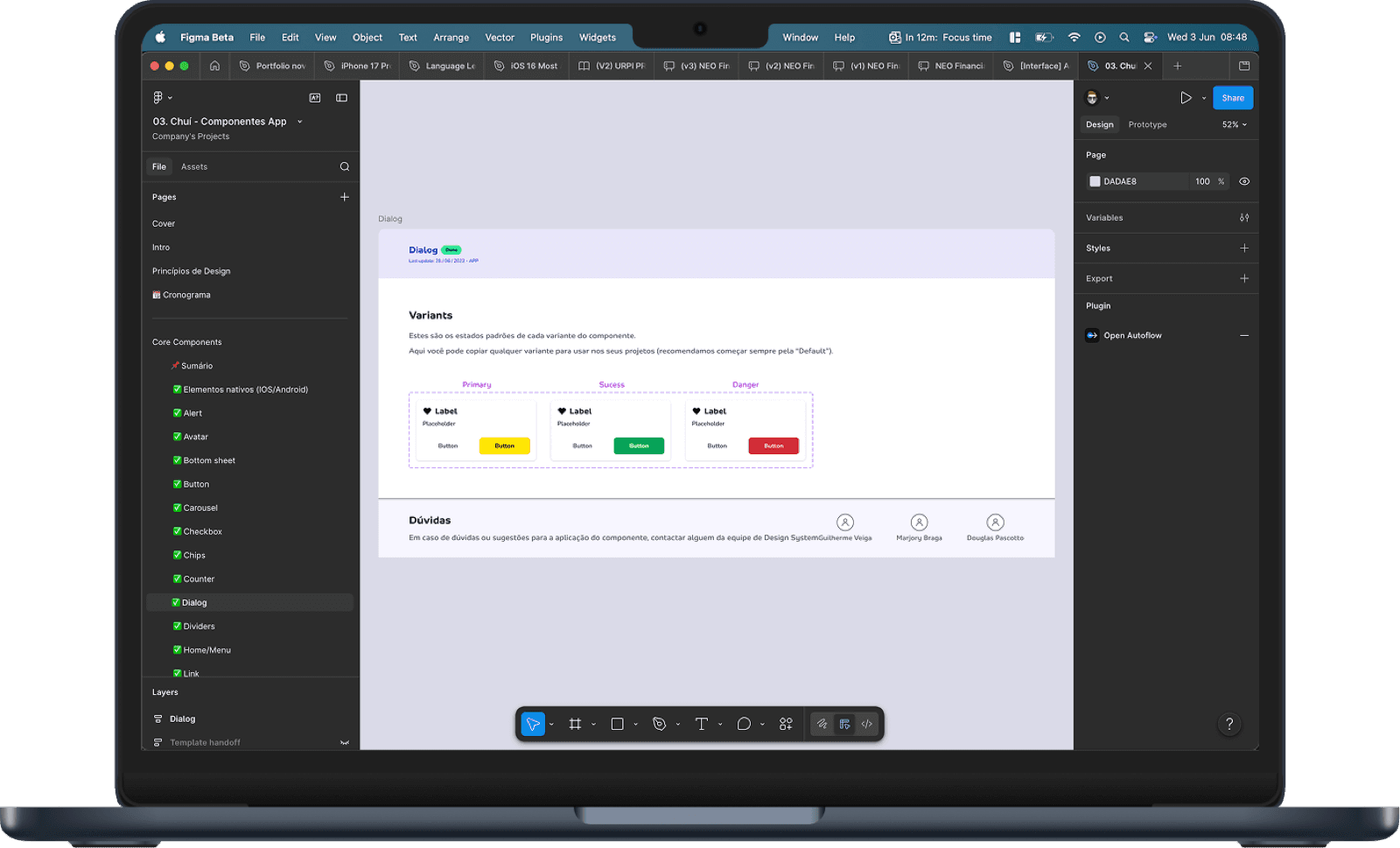
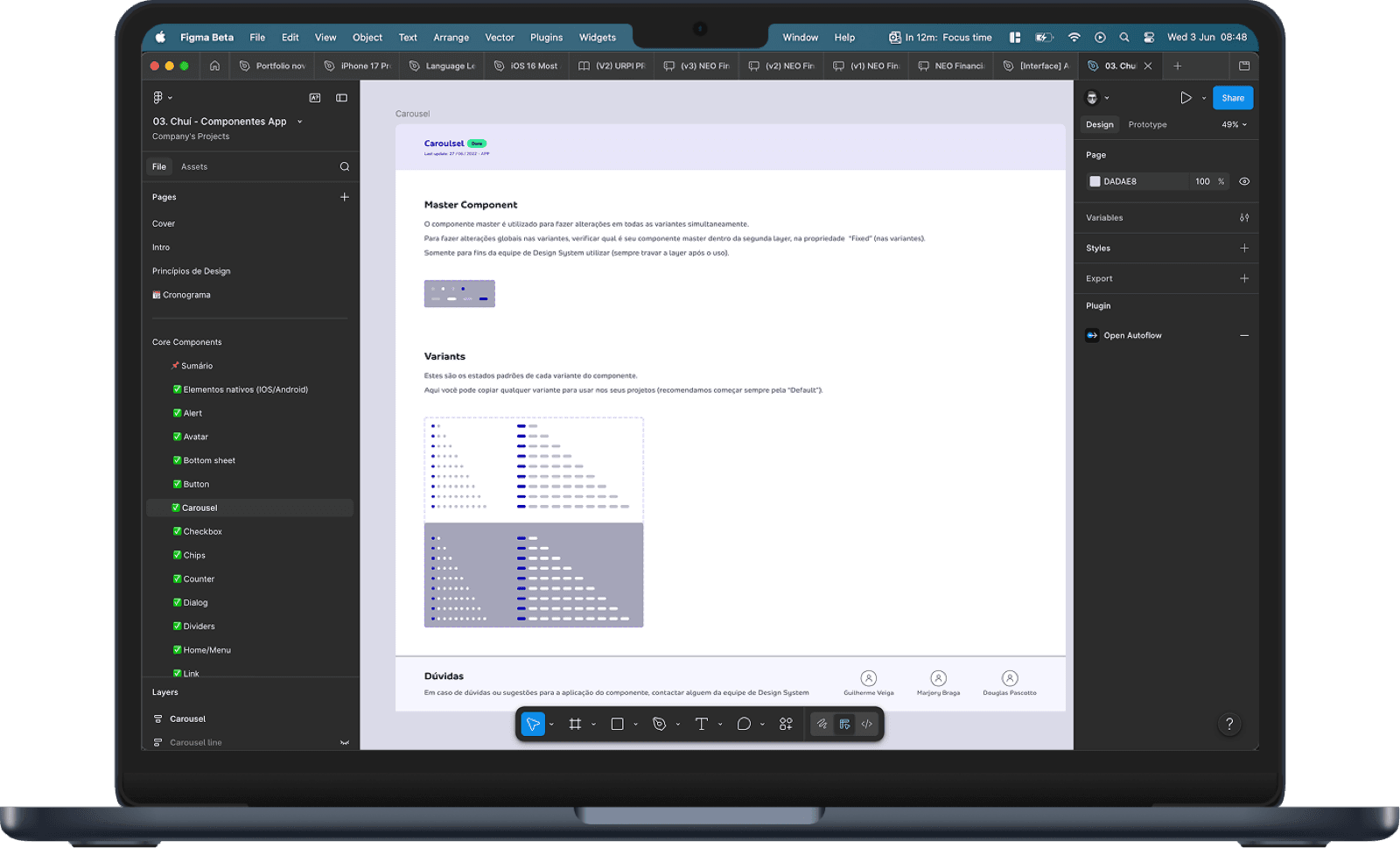
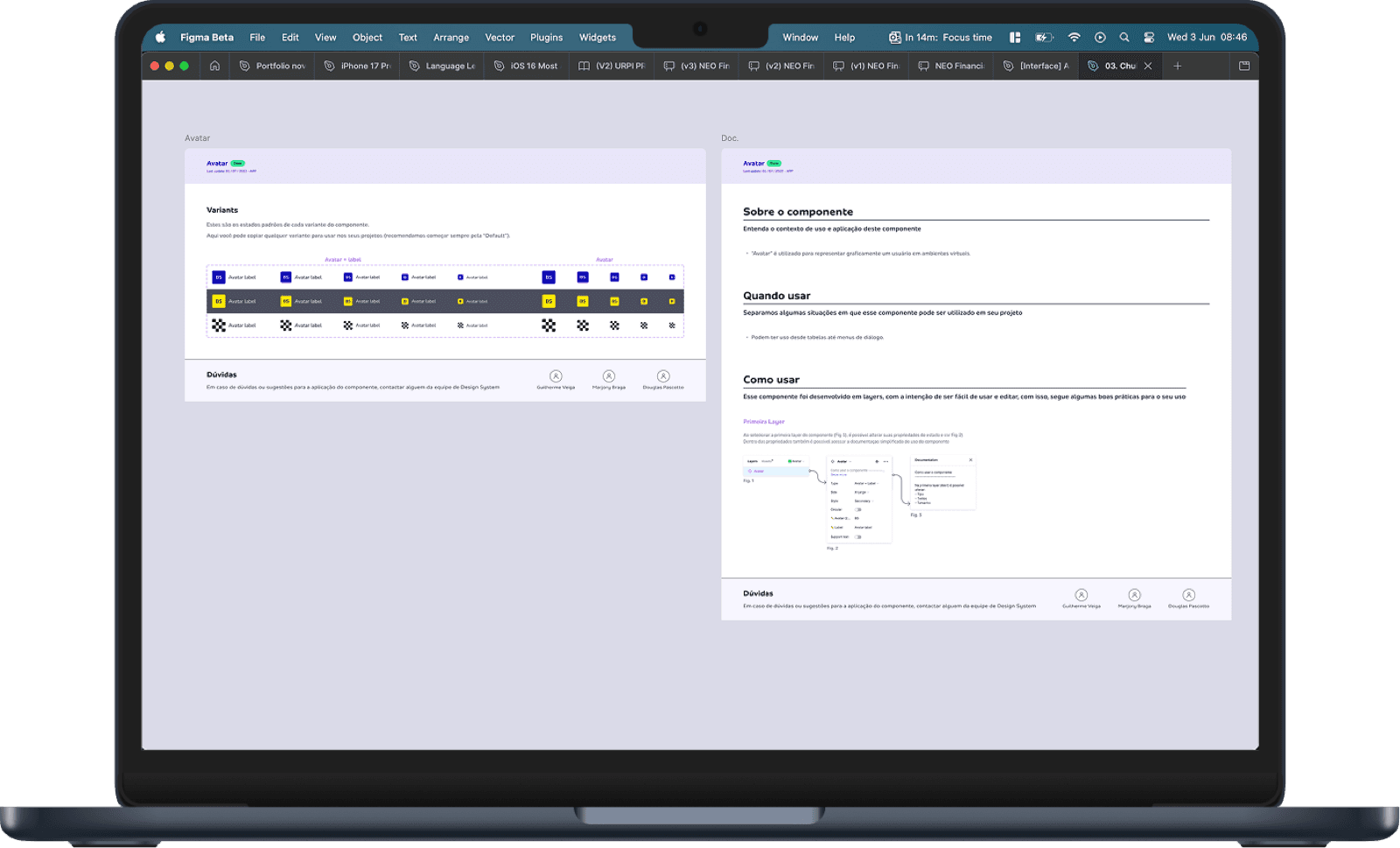
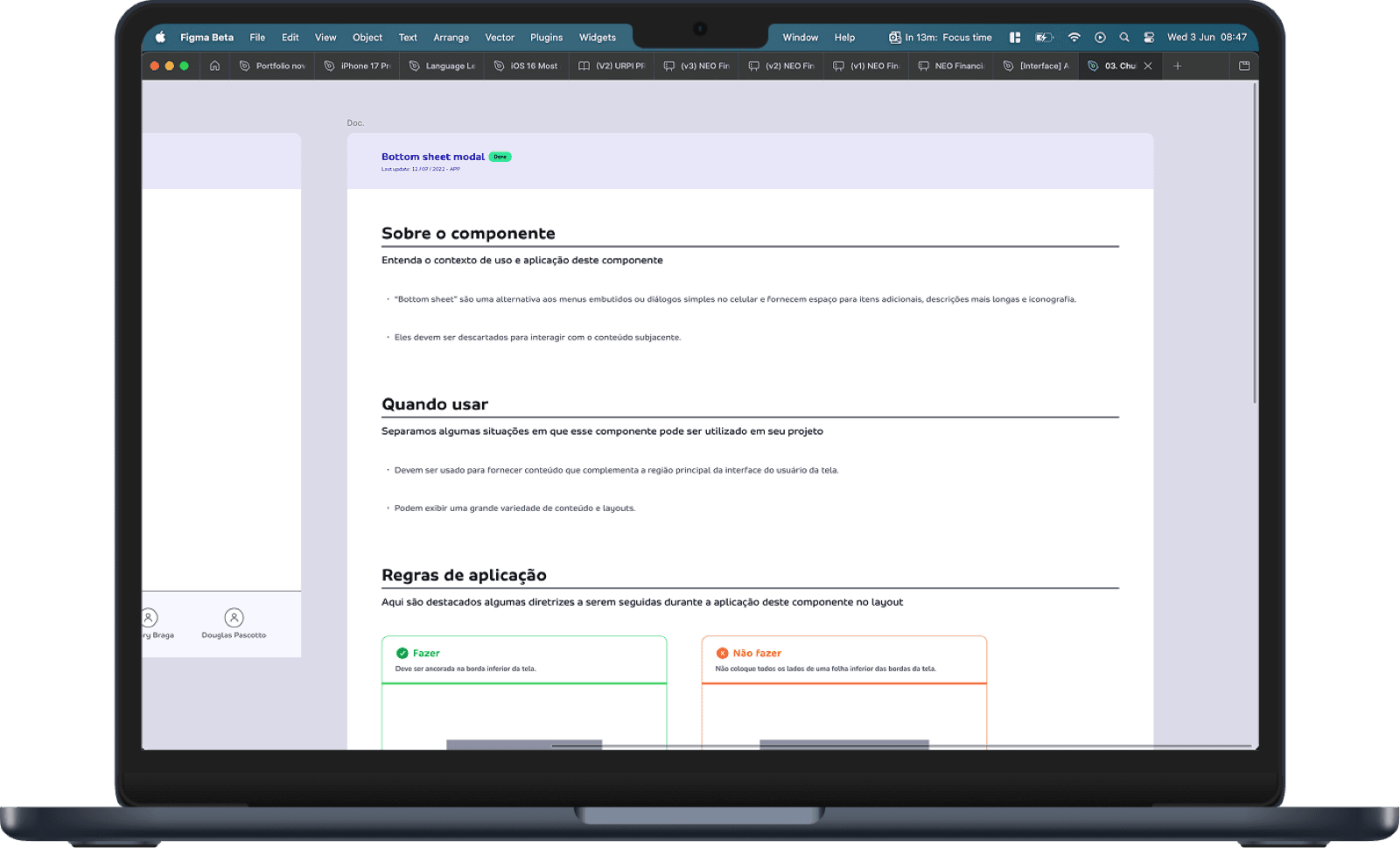
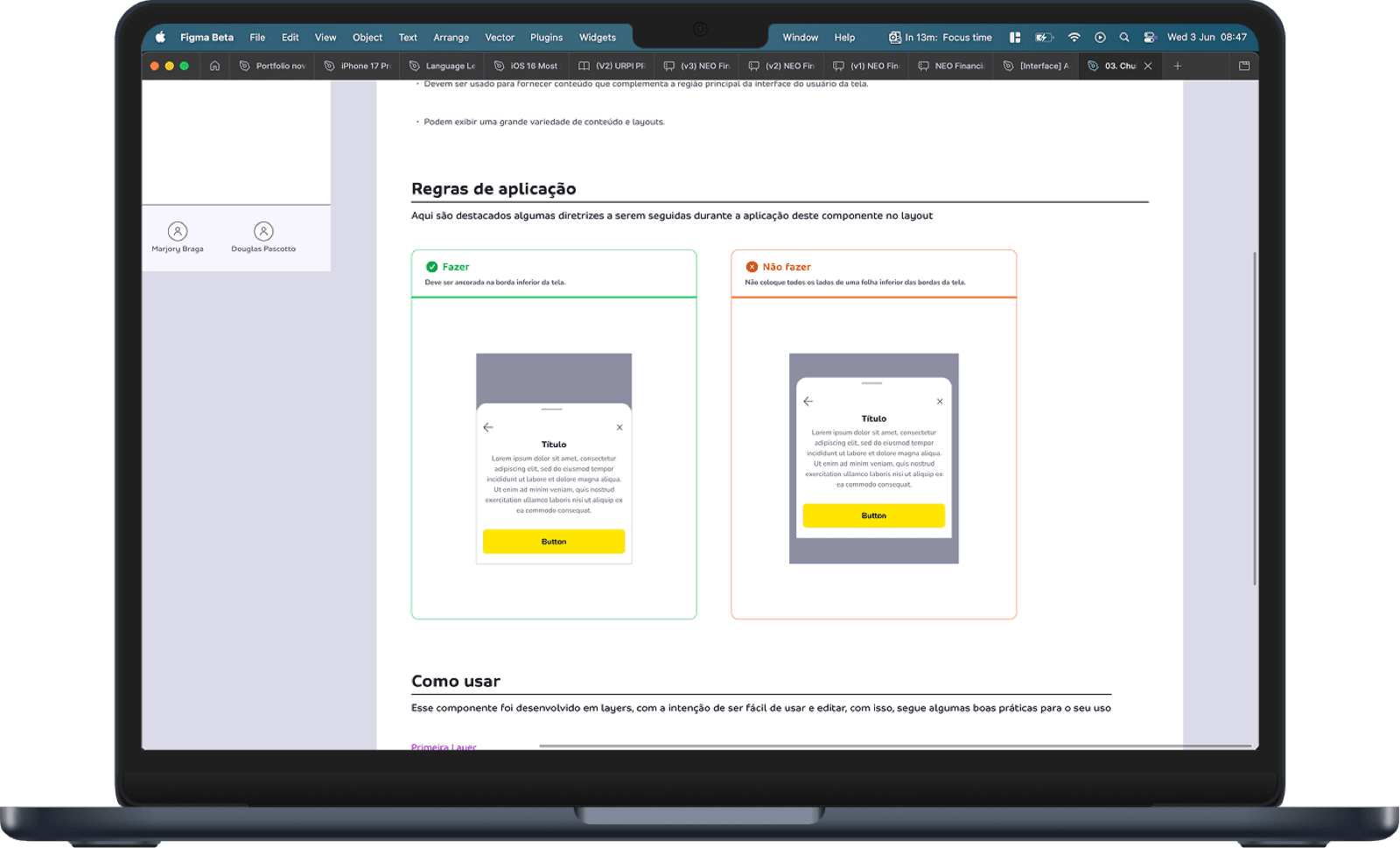
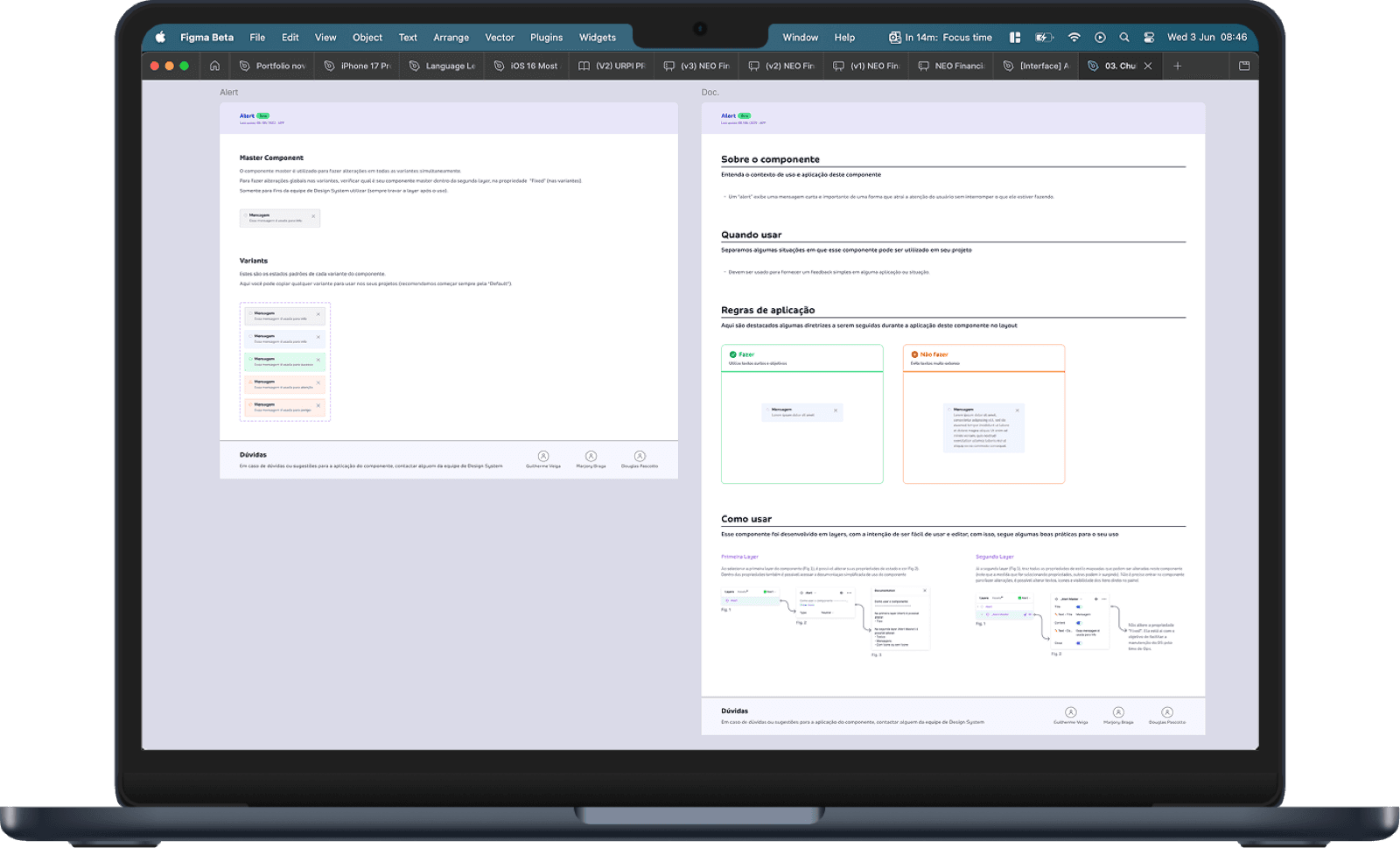
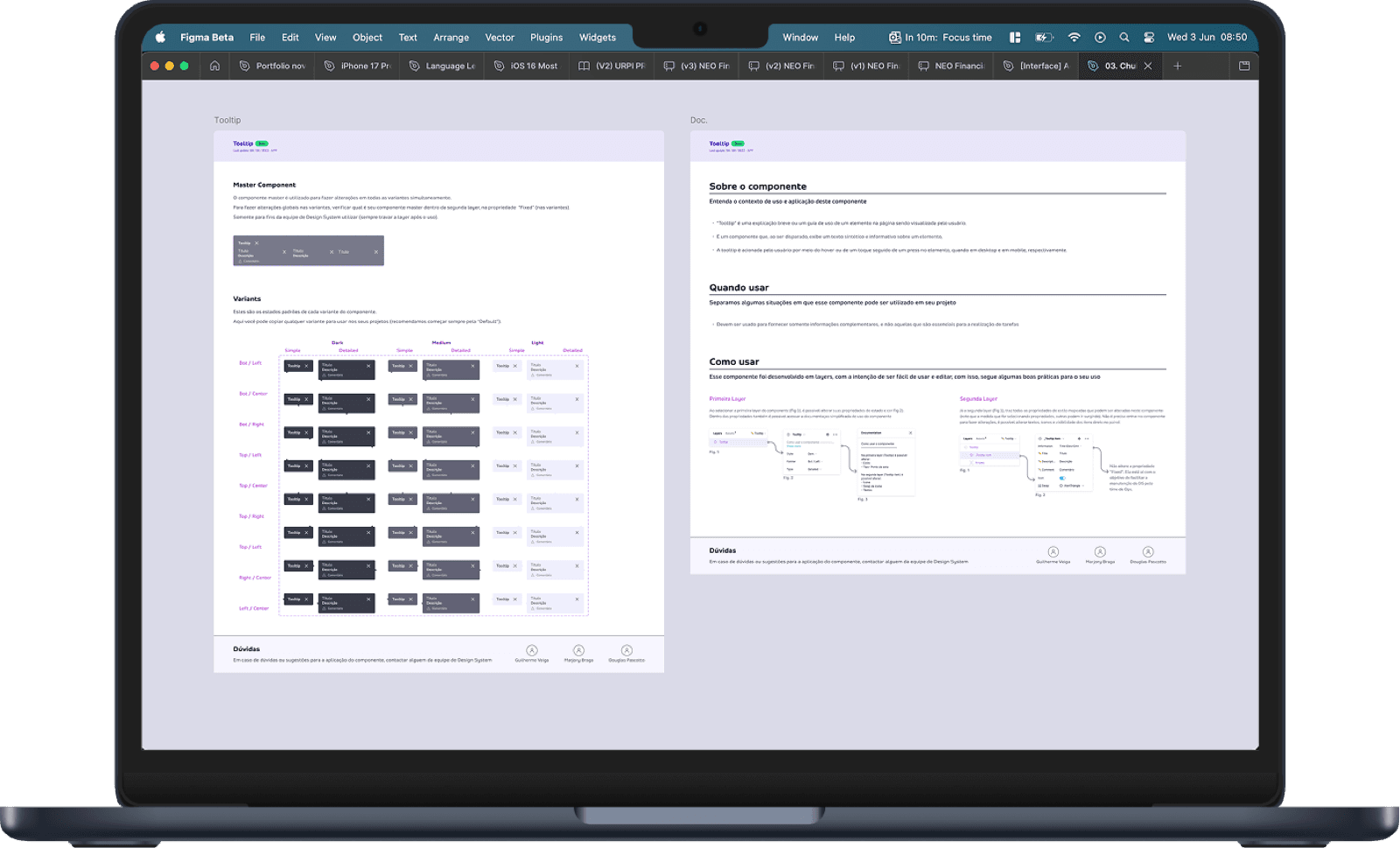
The mobile design system became the foundation that made the CVC flight booking redesign possible. The native components gave the app the feel users had been asking for in their 1-star reviews — and the +212% conversion lift proved it. But the system outlived the project: the app team kept building on it after I rolled off, and the mobile-first patterns fed back upstream as best practices the web teams adopted too.
+212%
Checkout conversion
The mobile DS enabled the native experience that drove the CVC app's numbers
20+
Mobile components
Native inputs, gestures, navigation, loading & feedback — each with full docs
2 teams
Adopting the system
App team built on it; web team adopted mobile-first patterns upstream
What I take into any system
Principles, not just components.
01
Earn every component.
Build only what removes real friction. A lean system gets adopted; a bloated one gets bypassed.
02
Start from the atom.
One foundational component, done thoroughly, becomes the template for everything that follows.
03
Accessibility is a property.
Contrast, targets, labels and semantics live inside the component — never bolted on per screen.
04
Systems are adopted, not shipped.
Documentation, governance and enablement decide whether a system lives after you leave.